Introduction
Start with Quick Start for the action checklist.

A. Authentication
Sign in through NTUA to register your identity.
B. Authorization
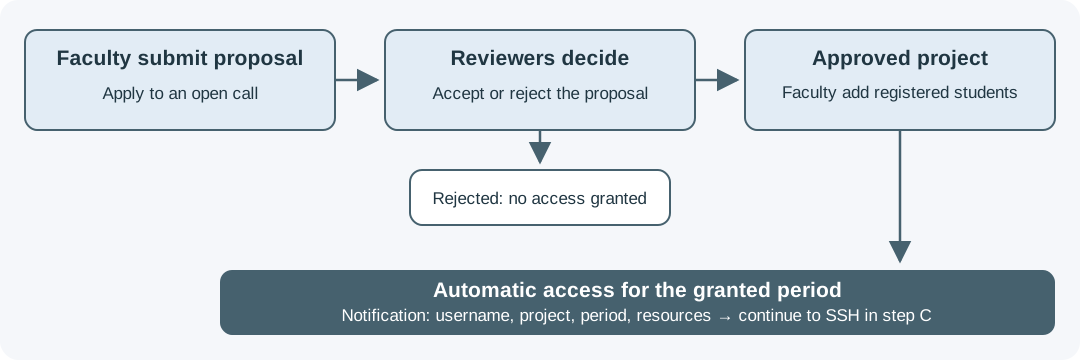
Faculty submit proposals. Approval creates a project and allocation; managers then add registered members. Registration alone does not grant compute access.
C. Access to the Resources
Members are notified of their username, project, access period, and resources when access is ready.
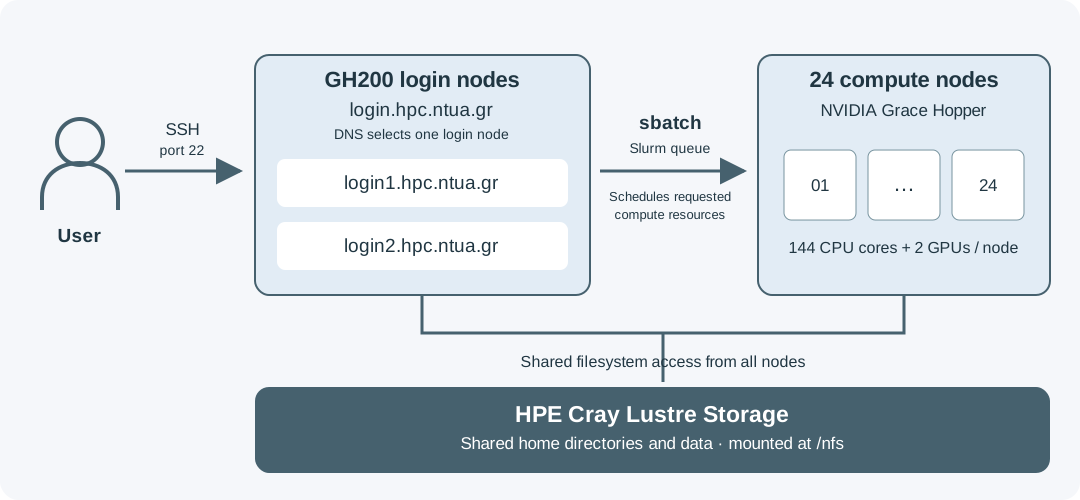
Connect by SSH, compile your application, and submit it through Slurm.
Data, Backups, and Retention
See Storage System and Data Retention.