Calls and Project Proposals
Faculty request resources through an open call. Other users join an approved project through its manager.
1. Prepare Your Account
Register in the User Dashboard before applying.
For personal cluster access, follow Quick Start.
2. Choose an Open Call
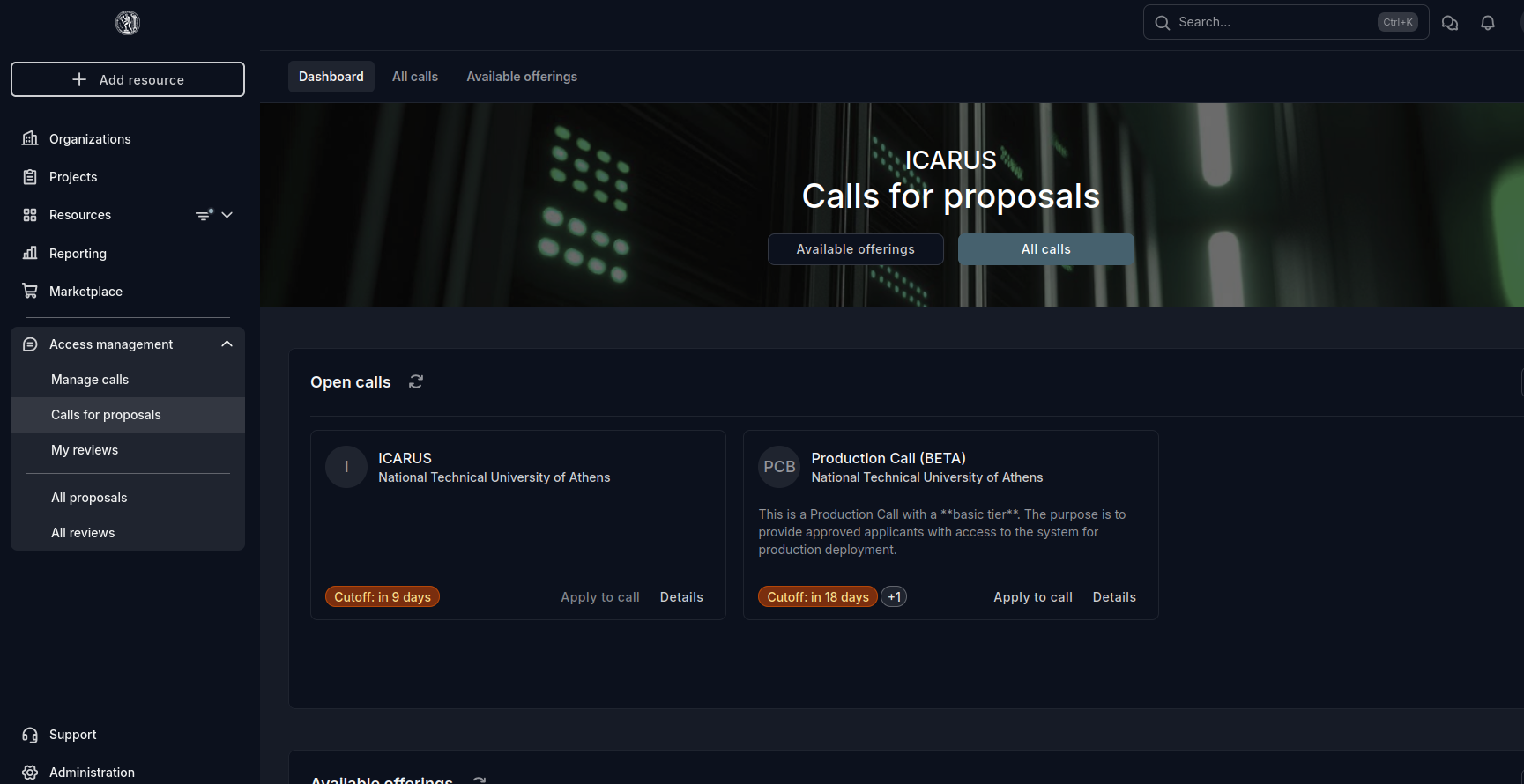
Open Access management → Calls for proposals → Production Call (BETA). Read Details for eligibility, resources, deadline, and duration, then select Apply to call.
3. Start Your Proposal
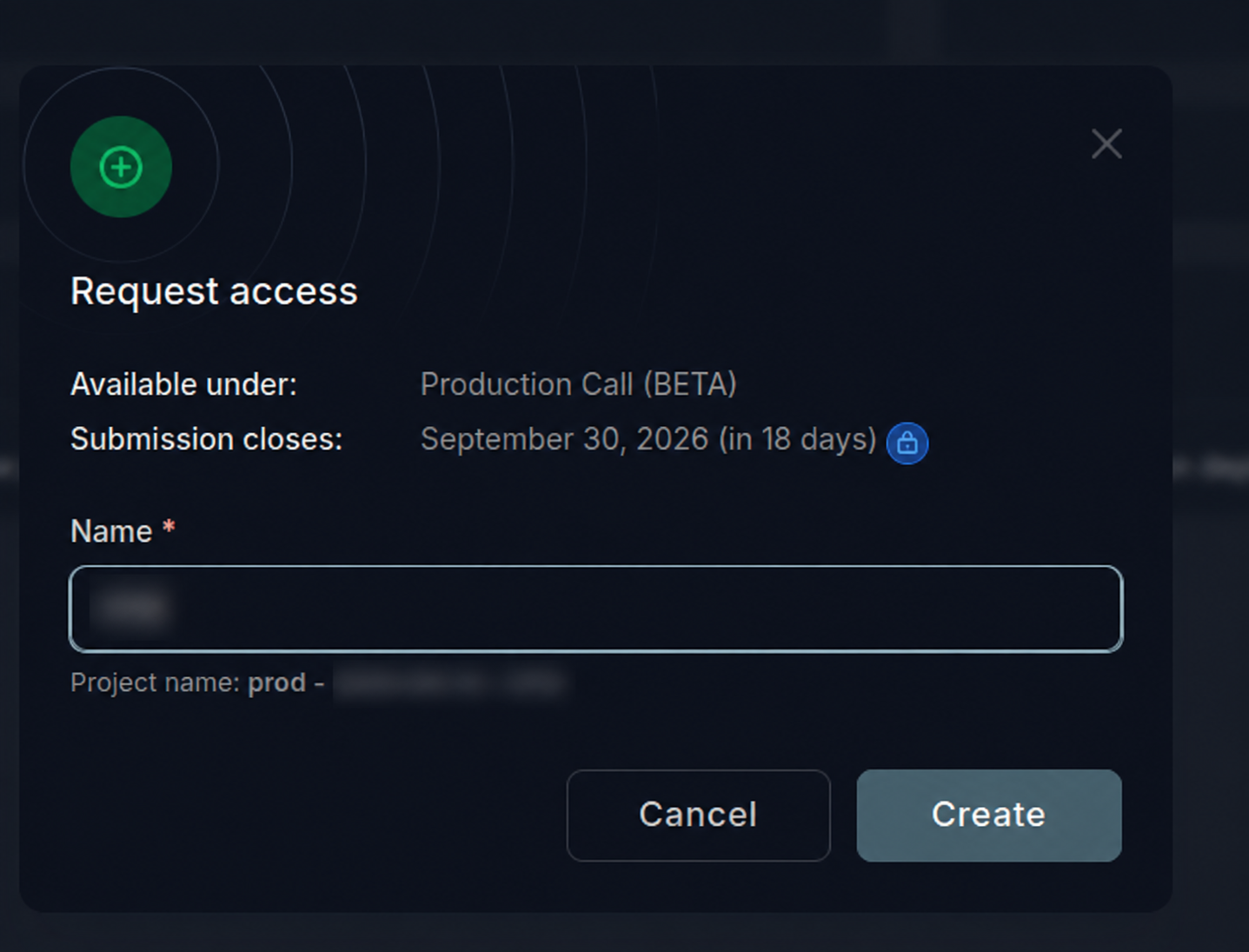
In Request access, enter a meaningful Name for the proposed project, then click Create. This opens a draft proposal for you to complete; it does not yet grant compute access.
4. Complete and Submit the Proposal
On the Applicant page:
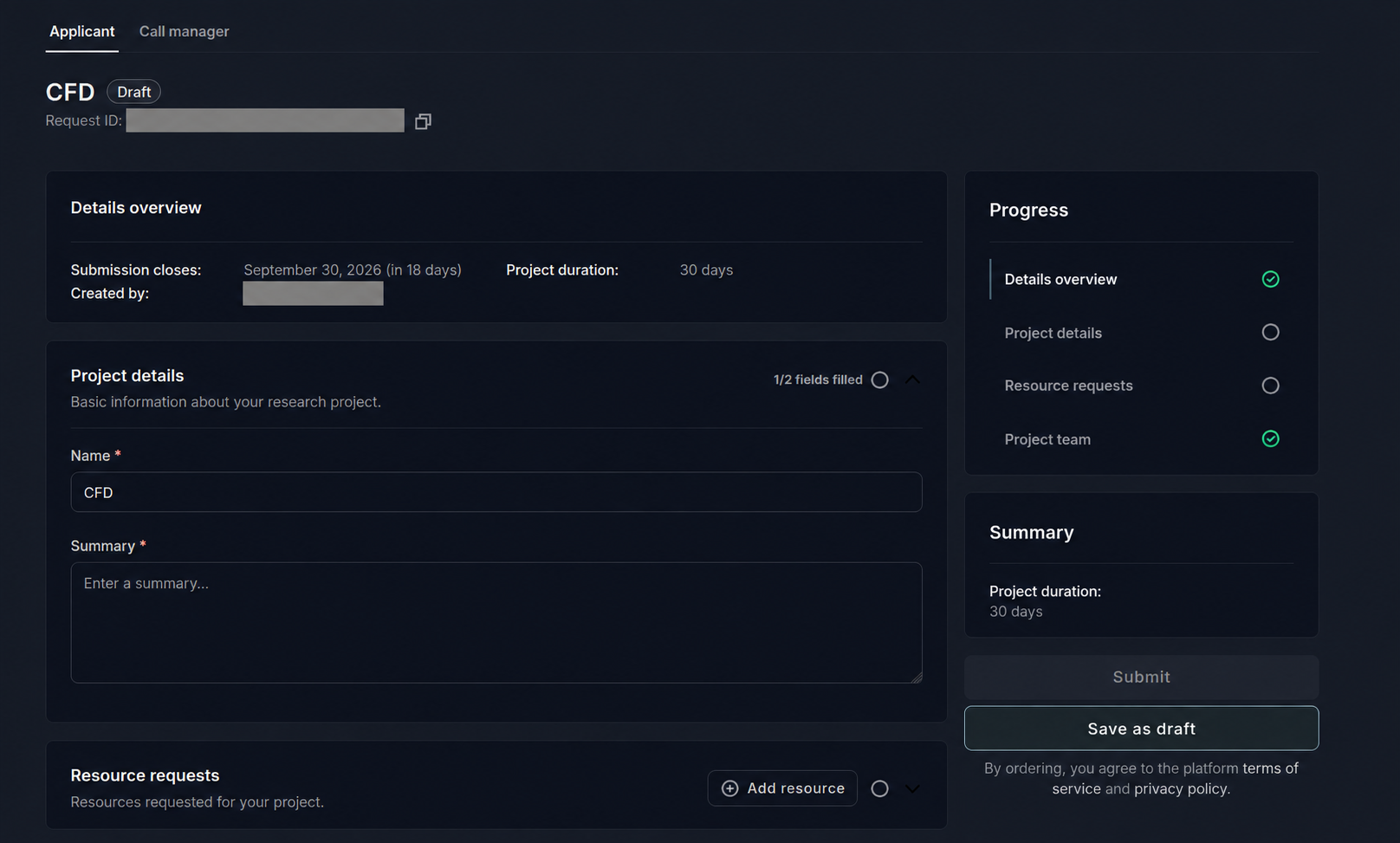
- Check Details overview, including the submission deadline and project duration.
- Complete Project details, including the Name and Summary. Explain the scientific objectives, methods, software, and expected outcomes.
- Under Resource requests, click Add resource and specify the required allocation. Use the resource-estimation guide to justify the requested core-hours and describe GPU needs where relevant.
- Complete any Project team information required by the call. After approval, add registered students to the created project.
- Check the Progress panel, complete all required fields, and click Submit before the deadline. Save as draft stores unfinished work without submitting it for review.
5. Review, Approval, and Access
Follow Submission → Review → Decision in your proposal. In review does not yet grant compute access.

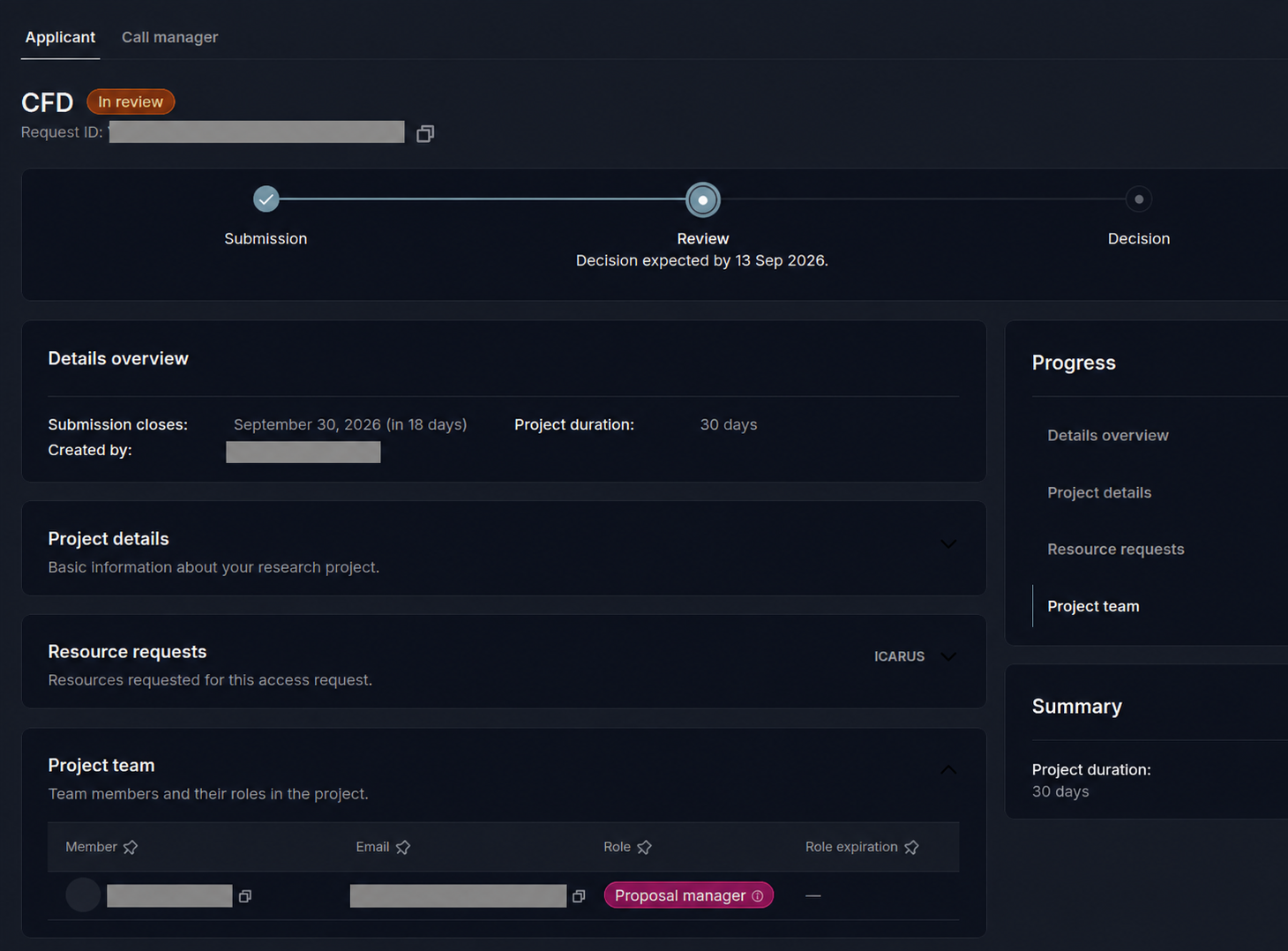
The Evaluation Team reviews the scientific justification and requested resources. Respond to any requests for clarification.
Approval is confirmed by email and creates the project and allocation. Then add registered team members.
You can appoint another Project manager to manage membership.
Authorized members are notified when access is ready.
A rejected proposal does not grant access. Review the decision in the dashboard before preparing another submission.