Compute Tiers
Standard
All projects use the Standard compute tier, with Slurm QoS standard. Choose the node count and requested walltime to suit each job, within all three limits:
| Limit | Maximum per job |
|---|---|
| Compute nodes | 8 |
| Walltime | 72 hours |
| Nodes × requested walltime | 72 node-hours |
Number of nodes × requested walltime (hours) ≤ 72. For example, 2 nodes for 36 hours and 4 nodes for 18 hours are both permitted. A request for 8 nodes for 10 hours exceeds the limit (80 node-hours) and is rejected.
The 72 node-hour limit applies per job, not to the project's total usage. You may submit multiple jobs, subject to scheduling policies and resource availability.
Nodes and Runtime
| Nodes | Maximum requested walltime | Slurm --time |
|---|---|---|
| 1 | 72 hours | 3-00:00:00 |
| 2 | 36 hours | 1-12:00:00 |
| 3 | 24 hours | 1-00:00:00 |
| 4 | 18 hours | 18:00:00 |
| 5 | 14 hours 24 minutes | 14:24:00 |
| 6 | 12 hours | 12:00:00 |
| 7 | 10 hours 17 minutes* | 10:17:00 |
| 8 | 9 hours | 09:00:00 |
For 7 nodes, 72 ÷ 7 hours is rounded down to a whole minute to stay within the limit.
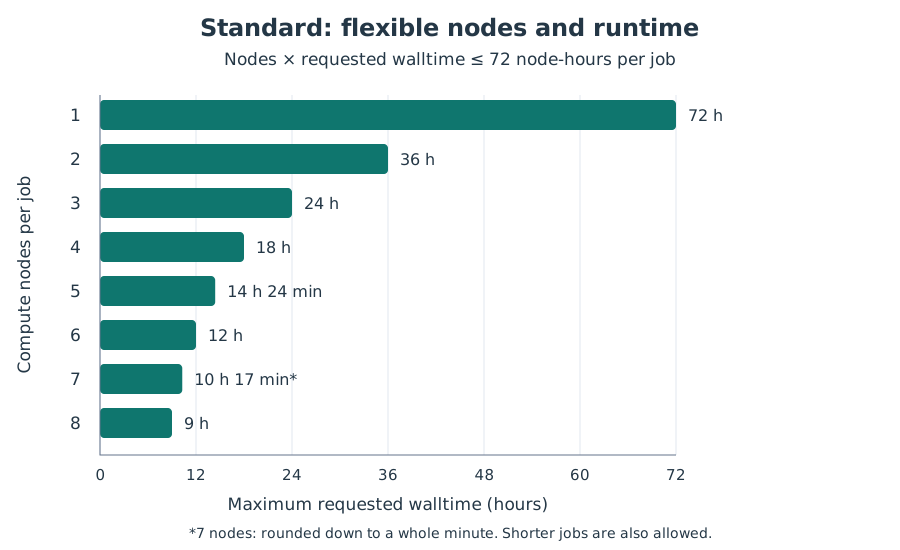
Each bar shows the maximum requested walltime for that node count. Shorter jobs are also allowed; request only the time and nodes you need.
Set --nodes and --time in your job script, along with your project account and the gh200 partition. For example, a four-node job can request:
#SBATCH --account=<project_account>
#SBATCH --partition=gh200
#SBATCH --nodes=4
#SBATCH --time=18:00:00
Replace <project_account> with your allocation's Slurm account. The allocation uses standard as its default QoS, so --qos is optional; you can explicitly set --qos=standard.
Fair Sharing
ICARUS is shared by multiple users and projects. The Standard tier sets job limits; it does not reserve nodes or guarantee an immediate start.
Fair-share scheduling considers past resource use relative to assigned shares. A project that has used more of its share may receive lower priority than a project that has used less. Team members' jobs contribute to their project's usage, so one member's heavy use can affect the team's queue priority.
Waiting time, resource availability, and other scheduling rules also affect when a job starts. Request only the resources you need and check the pending reason if a job is waiting. See Slurm's fair-share explanation for background.
Storage
The Scratch storage tier provides 2 TB per project, shared by its members. Each user also has a fixed 25 GB home quota, independent of project membership. See Storage Quotas and the Data Retention Policy.
Project Duration
The fixed project duration is 6 months. Extensions are open for requests, with no fixed extension duration specified; approval and the revised end date must be confirmed. See Check Usage.