Request Resources (Future Feature)
Direct requests for courses, workshops, and training, including temporary participant accounts, are a future feature. For current research access, submit a proposal.
The screenshots are previews. Eligibility, roles, duration, and limits will be announced when available.
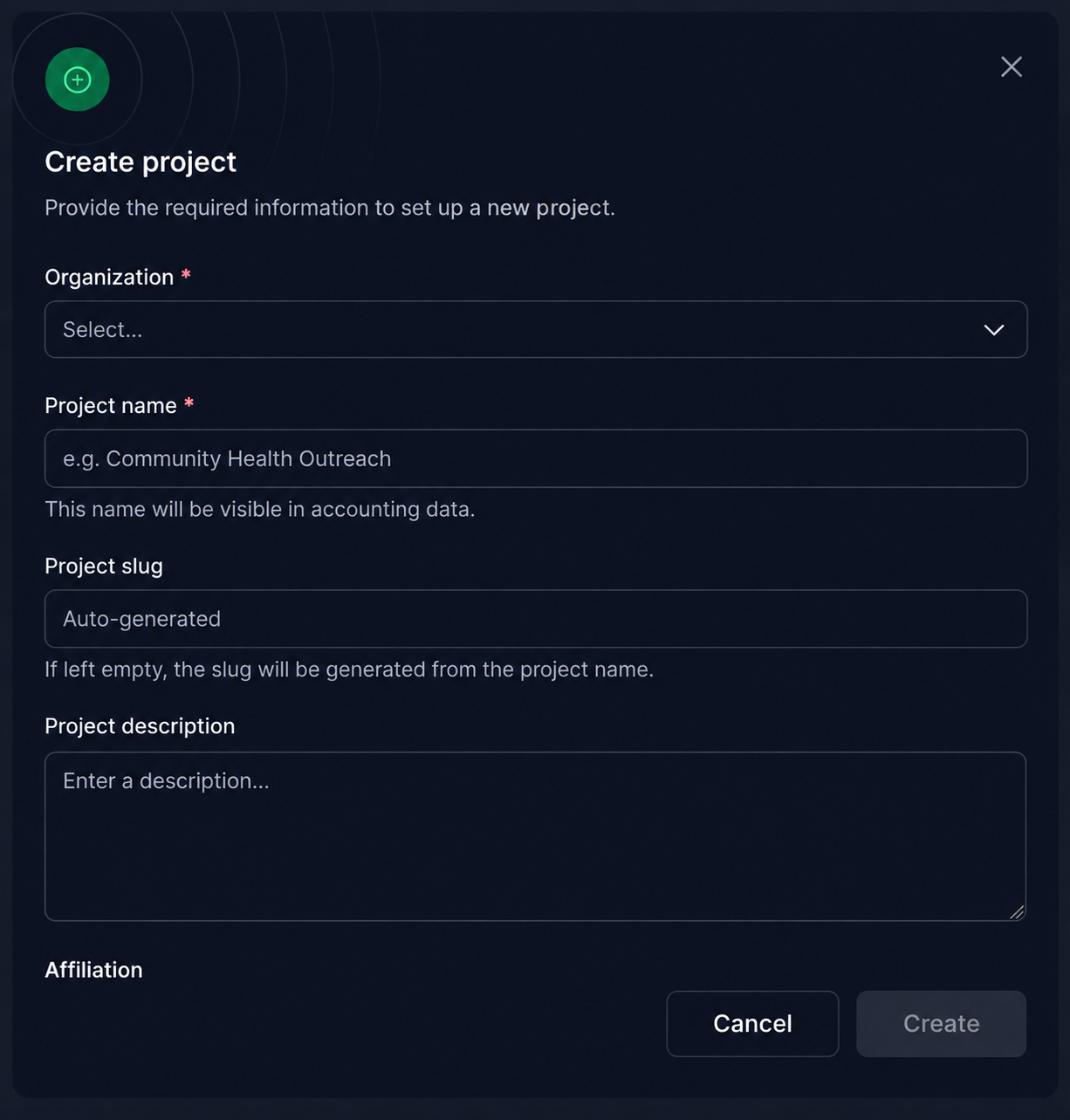
Project Creation Preview
When enabled, an authorized course or training organizer will open Projects and click Add, if available.
- Select National Technical University of Athens under Organization.
- Enter a clear Project name identifying the research or teaching activity. This name appears in accounting data.
- Leave Project slug empty to generate it automatically from the name, or provide an identifier if needed.
- Add a Project description explaining the scientific purpose and intended work, then click Create.
Resource Request Preview
- After creating your project, open it and go to Resources. Click Add above the resource list to open the Add resource dialog. You can also open this dialog using Add resource in the User Dashboard sidebar.
- Confirm National Technical University of Athens as the organization and your research or teaching project as the owner of the allocation. These may already be selected when you start from the project. You must belong to that project and have permission to request resources.
-
Under Categories, choose HPC, then select the ICARUS offering, described as “The HPC infrastructure of the NTUA”.
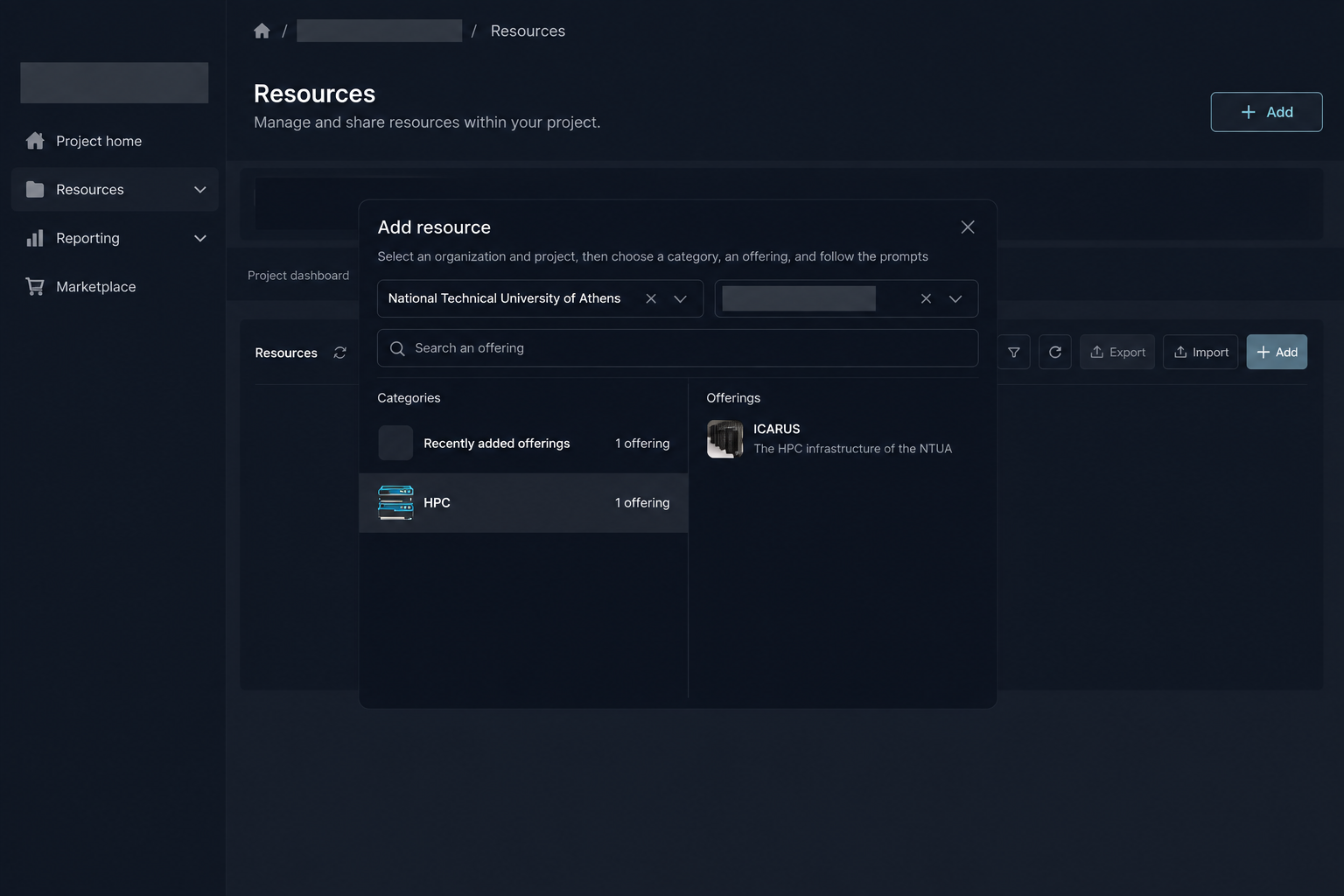
Figure: Illustration adapted from the user Dashboard: open Resources, click Add, then choose HPC → ICARUS.
-
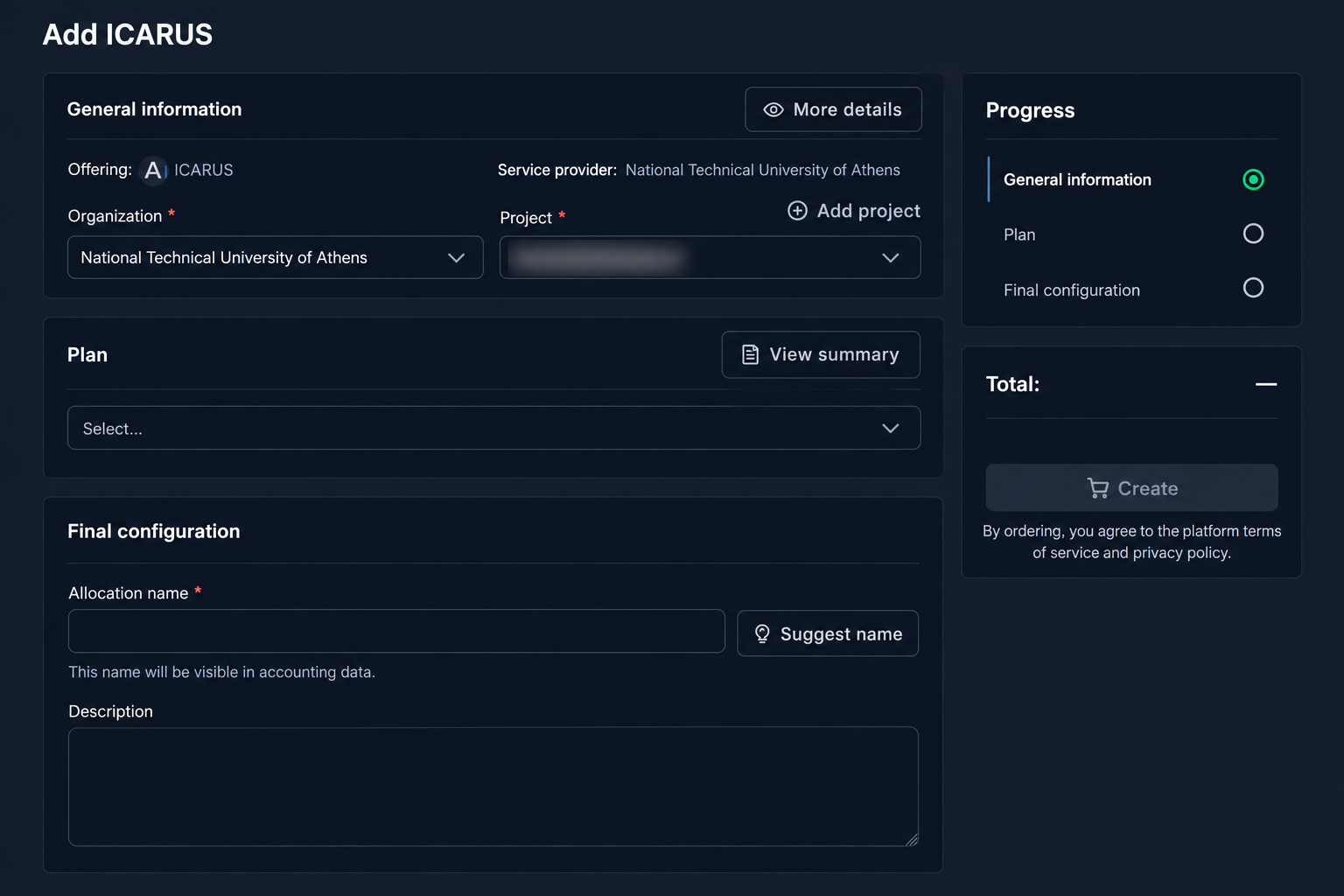
Select the available Plan, then enter an Allocation name and Description under Final configuration. Follow any additional prompts for the requested core-hours. Describe CPU and GPU needs separately so the support team can assess the request using the offering's conversion rules.
- Include the scientific purpose, software stack, estimated workload, storage needs, and intended dates in the available description fields.
- Review and submit the request. Follow its status until the required approval and provisioning steps finish; a submitted request is not yet an active allocation.
Estimate Your Request
ICARUS resource allocations are currently expressed in CPU core-hours. A basic estimate is:
CPU cores × elapsed hours
For example, allocating 144 CPU cores for one hour represents 144 CPU core-hours. Ten such runs represent 1,440 CPU core-hours before any GPU conversion is applied.
If your workload also requires GPUs, include the number of GPUs needed when describing your workload, but do not request a separate GPU-hour allocation. GPU time is converted to equivalent core-hours using the offering’s accounting rules; see Billing Policy.
Illustrative request for a research project:
Project: Thesis — simulation study
Supervisor / PI: [name]
Purpose: Compare ten simulation configurations
CPU request: 10 runs × 144 cores × 1 hour = 1,440 core-hours
GPU requirement: 2 GPUs per run
Software: NVIDIA HPC SDK 26.5 / HPC-X
Storage estimate: [amount and retention period]
Requested period: [start and end dates]